



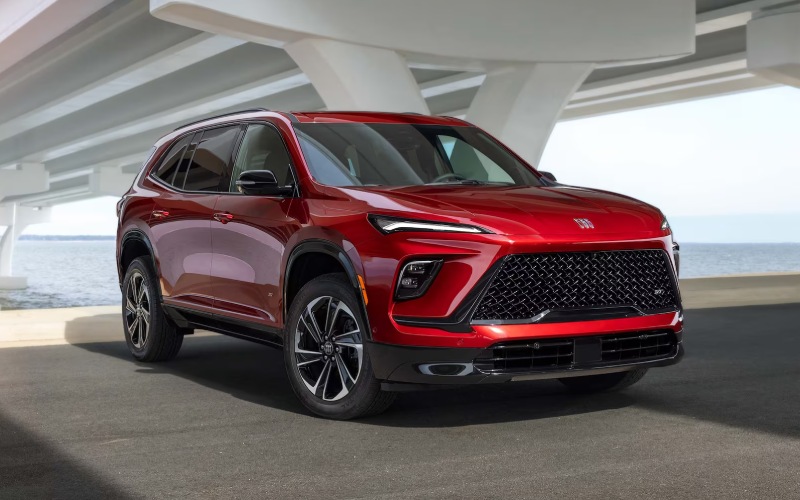
Baker Buick Hudsonville - Everyday Advantages of the 30-inch Ultrawide Display in the 2026 Buick Enclave for Grandville, MI Drivers
The 2026 Buick Enclave’s Ultrawide 30" diagonal premium display isn’t a novelty screen—it’s the heart of a cabin that’s designed to simplify everyday driving for families and professionals moving between Grandville, MI neighborhoods, schools, offices, and weekend escapes. Because the interface stretches across your field of view in an elegant curve, key information lands exactly where it’s easiest to see at a glance, from turn-by-turn guidance to call details to driver-assistance prompts. Add Google built-in compatibility, and you’ll get native navigation, helpful voice assistance, and app integration that feels as natural as your phone—without the clutter of extra cords or menus. It’s the tech setup many drivers wish they had years ago, now finely tuned to the Enclave’s quiet, refined interior.
There’s real-world value in a display that anticipates your next move. The Enclave’s layout balances breadth and focus: vehicle vitals, maps, media, and phone are arranged to reduce hunt-and-peck tapping, while steering-wheel controls and voice commands handle common tasks without pulling your attention. The result is a calm, confident cockpit that keeps information visible and reachable, yet never overwhelming. Pair it with QuietTuning® with Active Noise Cancellation, and the cabin becomes a space where calls are clear, directions are easy to hear, and music carries the detail it deserves.
How the Display Streamlines Daily Driving
Morning drop-offs, mid-day client meetings, and afternoon practices put a premium on predictability. The Enclave’s 30-inch display offers that through native maps, simple media switching, and intuitive prompts. Because Google built-in compatibility delivers real-time traffic and alternate routing, you can pivot around slowdowns on 44th Street or along the Rivertown corridor without missing a beat. The interface also plays nicely with available driver-assistance features by presenting guidance that complements alerts from systems like Adaptive Cruise Control and HD Surround Vision, reducing mental load when roads get busy.
It’s not just the screen size—it’s how the software uses it. Essential vehicle details remain persistent, so fuel range, drive-mode status, and climate settings don’t disappear behind layers. Children in the second row asking for a playlist change or volume tweak? Quick taps do the job, and because the UX is consistent across panels, your eyes return to the road sooner. That’s thoughtful design that adds up over a week of errands and commutes.
The Display and Connected Convenience
Integration with the myBuick mobile app deepens the experience. Precondition the cabin before you step out the door, send a destination directly to the center display, and use remote commands to lock up if you forget. Once you’re underway, the Ultrawide display welcomes your route and preferences, minimizing the time spent setting things up. The cohesiveness across screen, app, and voice assistance feels like a proper ecosystem—one that simply gets out of your way and lets you focus on driving.
Audio lovers take note: pairing that expansive screen with a Bose® Premium 12-speaker system—or the Bose® Performance 16-speaker system on Avenir—elevates how you browse, queue, and enjoy content. Album art, playlists, and source controls are large, crisp, and easy to navigate. If you’re heading to weekend activities, the difference between fumbling through menus and enjoying a few extra minutes of calm music is not trivial; it sets the tone for the whole ride.
Works Hand-in-Hand With Available Super Cruise®
For compatible roads, available Super Cruise® hands-free driver assistance technology can be a game-changer on longer stretches of highway. The Ultrawide display complements this by presenting clear visual cues and status indicators, so you always know when the system is available, engaged, or asking for your input. This collaboration between interface and assistance helps build trust, making Super Cruise® feel approachable even on your first few uses along I-196 or US-131. When you’re ready to take over, the transitions are smooth and predictable.
Even without hands-free capability engaged, the display’s clarity benefits daily driving. Alerts from features like Front Pedestrian and Bicyclist Braking, Rear Cross Traffic Braking, and Side Bicyclist Alert arrive with crisp visuals, tying motions in the instrument area to guidance on the central panel. It’s an elegant feedback loop: see it, understand it, act on it—fast.
Simple Family Logistics
Families in Grandville often need tech that respects real life—tight schedules and quick turnarounds. The Enclave’s display teams with one-touch flat-folding and sliding second-row seats and a power-folding third row by helping you monitor cargo configurations and rear visibility with HD Surround Vision. Add the AutoSense Power Liftgate, and pickups at school or sports fields are smoother: less juggling keys and more time keeping eyes up. The display shows what you need—camera views, maps, media—when you need it.
And if you’re looking at trims, the layout and logic stay consistent across the lineup. Step into the Avenir and you layer in luxuries like quilted and perforated leather-appointed massaging front seats and Premium Suspension with Continuous Damping Control, yet the screen experience remains familiar. That means no learning curve when you move from test drive to daily drive.
For those comparing SUVs, this 30-inch setup isn’t just about spec-sheet bragging rights. It’s about eliminating friction, minimizing distractions, and giving you a cockpit that genuinely supports the way you drive in West Michigan. When tech fades into the background and just works, you feel it—less stress, more confidence, and calmer trips for everyone onboard.
When you’re ready to try it yourself, a focused demo can show how navigation, hands-free calling, and available driver-assistance features present information together on the Ultrawide display. Our team can tailor a route that mirrors your daily routine and highlight how the screen adapts on the fly. That’s the moment most drivers say, “This is what I’ve been missing.”
Baker Buick GMC Hudsonville offers friendly, knowledgeable guidance and test-drive routes that showcase exactly how the Enclave’s display and driver-assistance systems work in your world, serving Grandville, Byron Center, and Grand Haven with a process designed around your questions and schedule.
Frequently Asked Questions:
Is the Ultrawide 30" display standard on the 2026 Enclave?
Yes. The Ultrawide 30" diagonal premium display is a standout feature across the lineup, designed to make navigation, media, and vehicle settings intuitive and accessible.
Does the display work with voice assistance?
Yes. With Google built-in compatibility, you can use voice commands for navigation, calls, and select apps, reducing manual interaction while driving.
How does the display enhance driver-assistance features?
It provides clear visual prompts and status cues that complement systems like HD Surround Vision, Adaptive Cruise Control, and available Super Cruise®, helping you respond quickly and confidently.
Will the screen feel overwhelming at first?
Most drivers find it intuitive. Essential info is thoughtfully placed, and tutorials during your test drive help you learn the layout in minutes.