



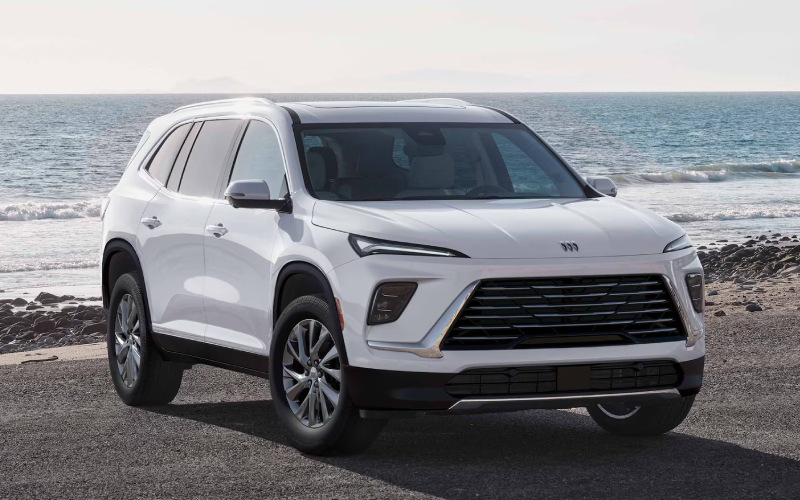
Baker Buick Hudsonville - Why the Ultrawide 30-inch Display Elevates Daily Drives around Holland, MI
The moment you settle into the driver’s seat, the Ultrawide 30-inch diagonal premium display in the 2026 Buick Enclave changes how you interact with navigation, entertainment, and vehicle settings. Spanning your field of view with crisp tiles and intuitive menus, the display organizes what matters most—maps, media, calls—so you’re not bouncing between screens. It’s the digital hub that clarifies your day, whether you’re queuing a podcast for a shoreline stroll or following turn-by-turn directions to an evening game. Add Google built-in compatibility and your familiar tools come alive with natural voice controls to search, route, message, and more.
Just as important, the Enclave pairs this expansive canvas with a calm cabin atmosphere. QuietTuning® with Active Noise Cancellation helps keep the focus on your route and your conversations. The result is more than a pretty interface—it’s a user experience designed to reduce clutter, shorten the path to common tasks, and make every errand, commute, or getaway that much easier. Families who appreciate clear information at a glance will find this display becomes second nature in a matter of days.
- At-a-glance clarity: Key tiles position maps, audio, and calls where your eyes naturally rest, helping minimize distraction.
- Voice-first control: With Google built-in compatibility, use natural requests to set destinations, send messages, and play media.
- Tailored layouts: Configure screens for your routine—morning navigation, afternoon media, evening driver-assist checks.
- Seamless pairing: Streamlined smartphone integration brings your playlists and contacts forward without fuss.
- Family-friendly logic: Quick access shortcuts mean less searching and more time focused on the road ahead.
Compared with smaller or split-screen layouts, the Ultrawide 30-inch diagonal premium display reduces the need to drill down into menus. The broader surface area lets you pin essentials in persistent views—keep navigation visible while managing audio or checking driver-assist indicators. That matters when you’re juggling busy schedules, because seconds saved in the interface compound into a smoother overall drive. And thanks to the floating center console, there is a natural place for devices and cords, keeping your command center tidy.
For families who share driving duties, the display’s consistency is a plus. Once you refine your favorites and shortcuts, anyone can step in and benefit from the same layout. Add available systems such as HD Surround Vision and the Head-Up Display on select trims, and you’ll appreciate how well the Enclave’s interface organizes information visually. Rather than forcing you to learn a dozen unique workflows, it leads you through a familiar, logical flow that matches daily life—set route, select soundtrack, glance at guidance, and enjoy the ride.
Want to see how it all feels in person? Our team can show you how to customize the home screen, set up voice requests, and pair your phone in minutes. Baker Buick GMC Hudsonville offers hands-on demonstrations that walk you through typical routines, from school drop-offs to weekend trips, so you can experience the difference on your own terms.
Frequently Asked Questions:
Does the 30-inch display support over-the-air updates?
The Enclave’s connected systems can receive updates; our specialists will review how features and apps can evolve over time.
Can I mirror my favorite navigation app?
With Google built-in compatibility, you can access native Google Maps and voice control; we can also demonstrate smartphone-based navigation options.
Is the interface easy for multiple drivers to use?
Yes—customizable layouts and straightforward menus make it simple to set favorites and keep key functions front and center.
For a tailored walkthrough and a test route that highlights display benefits in real traffic, visit our showroom serving Rockford, Holland, and Muskegon. Our product experts will walk you through real-world setups and answer layered questions about connectivity, layout options, and how the display integrates with available features such as HD Surround Vision and the Head-Up Display.
Request more 2026 Buick Enclave information
Categories:
Buick Enclave